How can I collaborate with my coach or other runners in KULG?
Written By KULG App
Last updated 10 days ago
Runner (incl free)
To grant someone access to your data, they must first sign up to KULG App. You can only share access once their account is created. If you’re unable to grant access, make sure they’ve already signed up and that you’re using the same email address they registered with on KULG.
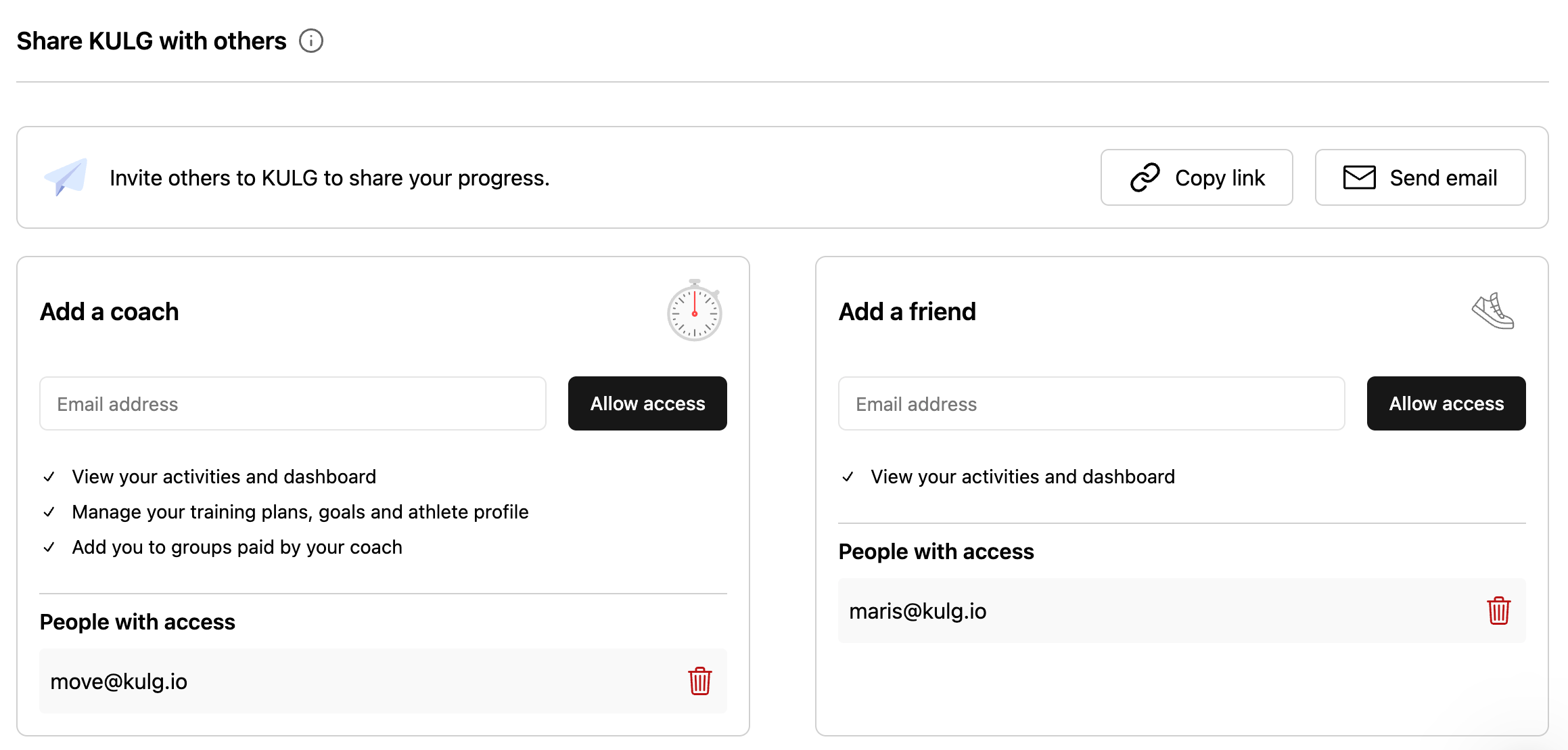
You can invite your coach or friends to join KULG and grant them access to view your training data under Settings » Account. You choose whether to add each person as a coach or as a friend — coaches get more access than friends (see What type of data is shared below). There is no restriction on the number of people you can grant access to view your data, and you can revoke access any time.
1. How to grant access to your data
1. Make sure your coach/ friend is in KULG App (https://app.kulg.io/signup)
2. Go to your Settings » Account. Under Share KULG with others, add the email your coach signed up with under Add a coach, or your friend's email under Add a friend, and click Allow access. When you see the email in that section's People with access list, the person has access.
3. To remove access, click the Delete (trash) icon next to the email under People with access.
If the person has both a runner and a coach account: adding them as a coach shares your data with their coach account, and adding them as a friend shares it with their runner account. Add them under both to share with both. If someone with both accounts already had access before these sections were introduced, they're listed under Add a coach.
If your coach or friend already had the KULG app open when you granted access, they’ll need to log out and log back in for your account to appear in the dropdown menu.
2. What type of data is shared
What the person sees depends on whether you added them as a coach or as a friend. The key difference is that only a coach can create plans, set goals for you, add you to groups, and see your Athlete profile (coaches on the Coach plan can also edit it). Only you can edit your activities.
3. How can a coach or a friend see your data
Where the person finds your data depends on how you added them:
Coach finds you under My athletes on their coach account
Friend selects you from the drop-down in the menu on their runner account
Tips on how to collaborate 💡
Instead of sending a weekly or monthly summary to your coach, you can simply give access to your data, and s/he will be able to see your performance and recovery trends in detail to get the full picture and fine-tune your training plan based on that. This way you can skip reporting and focus on sharing qualitative feedback and context.
Granting access to your coach enables coach to send you weekly or daily training plans and set your weekly and monthly goals.
Sharing your data with a running buddy can make running fun and help you hold each other accountable. Keep in mind that every runner is unique - trends and metrics are often not comparable between different runners.
Was this helpful?
Still need help? Ask the team