
Changelog

Follow new updates and improvements to KULG App.

Release 0.14.3

🔀 Share your training with a coach or a friend

Now that runner and coach accounts are separate, every runner can decide exactly how much each person sees. In Settings, you can now add someone as your coach or as your friend, and each gets the right level of access: a friend can follow your training, while your coach can also help you manage it. It works the same on desktop and mobile.

🚩 To add a coach or a friend, make sure to use their KULG account email.

Here's how sharing works now

  • Add a coach: from My Athletes overview page, a coach can view the activities and dashboard of a runner, manage training plans, goals, and the athlete profile, add the runner to groups and unfollow the runner

  • Add a friend: a friend can view a runner’s activities and dashboard, but has no access to other features; access the runner’s profile from the menu dropdown

  • Data lands in the right account: if someone has both a runner and a coach account, adding them as a coach shares your data with their coach account, and adding them as a friend shares it with their runner account; adding them as both, shares with both

  • See who has access: the coach and friend sections each have their own list of people with access, so you can check who you've shared with and remove anyone in one tap

  • Invite others to KULG: inviting someone new by email or invite link now sits at the top of Share KULG with others

  • Existing access carries over: if someone with both a runner and a coach account already had access to your data, they now see it on their coach account and there's nothing you need to do

🛠 Other fixes & improvements

  • Fixed an issue where friends you'd shared your training with could open your Dashboard and Activities but couldn't see any data.

  • Fixed an issue where coach accounts in the iOS and Android mobile apps showed runner pages and improved switching to your coach account so it opens your athletes list straight away.

  • Fixed an issue that caused activity splits in Strava to not show average and maximum heart rate and power. Strava splits can now also be grouped by 1 km, 5 km, 10 km, and into two halves. NB! The fix applies to activities synced after this release.

  • Fixed an issue that caused Strava activities before Nov 2025 to not show splits.

  • Fixed an issue that caused Garmin activities to not show splits occasionally. NB! The fix applies to activities synced after this release.
NewFixed

Release 0.14.1-0.14.2

🎉 Coaches now have the possibility to see their athletes' profiles

Coaching works best when you know the whole runner, not just their latest activities. Coaches can now open each athlete's Athlete profile right inside KULG and see their training background, race goal, injury history, HR zones, physiology, and personal bests, all in one place.

The athlete profile is not visible to other runners. We’re also making a few updates to the account settings next, where runners will be able to decide whether to add someone as a friend or a coach. The delegated user will then see the runner’s data based on the account type and plan.

Here's what coaches can now see and do with the athlete's profile:

  • Find it in your athlete's menu — select an athlete and open a new menu item Athlete profile, right below Plans & goals.

  • See the full picture — training & goals, injury & health, HR zones, performance & physiology and personal bests, just as your athlete sees them.

  • Keep it up to date on a paid coach plan — edit any section on your athlete's behalf, e.g. add new lab results, adjust HR zones after a test or update their target race.

  • View-only on the free plan — coaches on the free plan can see the whole profile but can't make changes.

  • Smarter guidance for your athlete — the athlete profile powers KULG Training assistant, so a complete, current profile makes your athlete's AI insights and KULG Training assistant answers more personal and soon also assists your coaching.

This is especially useful right after a lab test or when your athlete sets a new race goal: update the profile together with your athlete, and their HR zones and insights stay in step with where they really are.

🛠 Other fixes & improvements

  • Fixed an issue where some subscribers could be moved to the free plan when paying for additional KULG services.

  • Fixed an issue where users couldn’t sign up to KULG on Windows.

NewFixed

Release 0.14.0

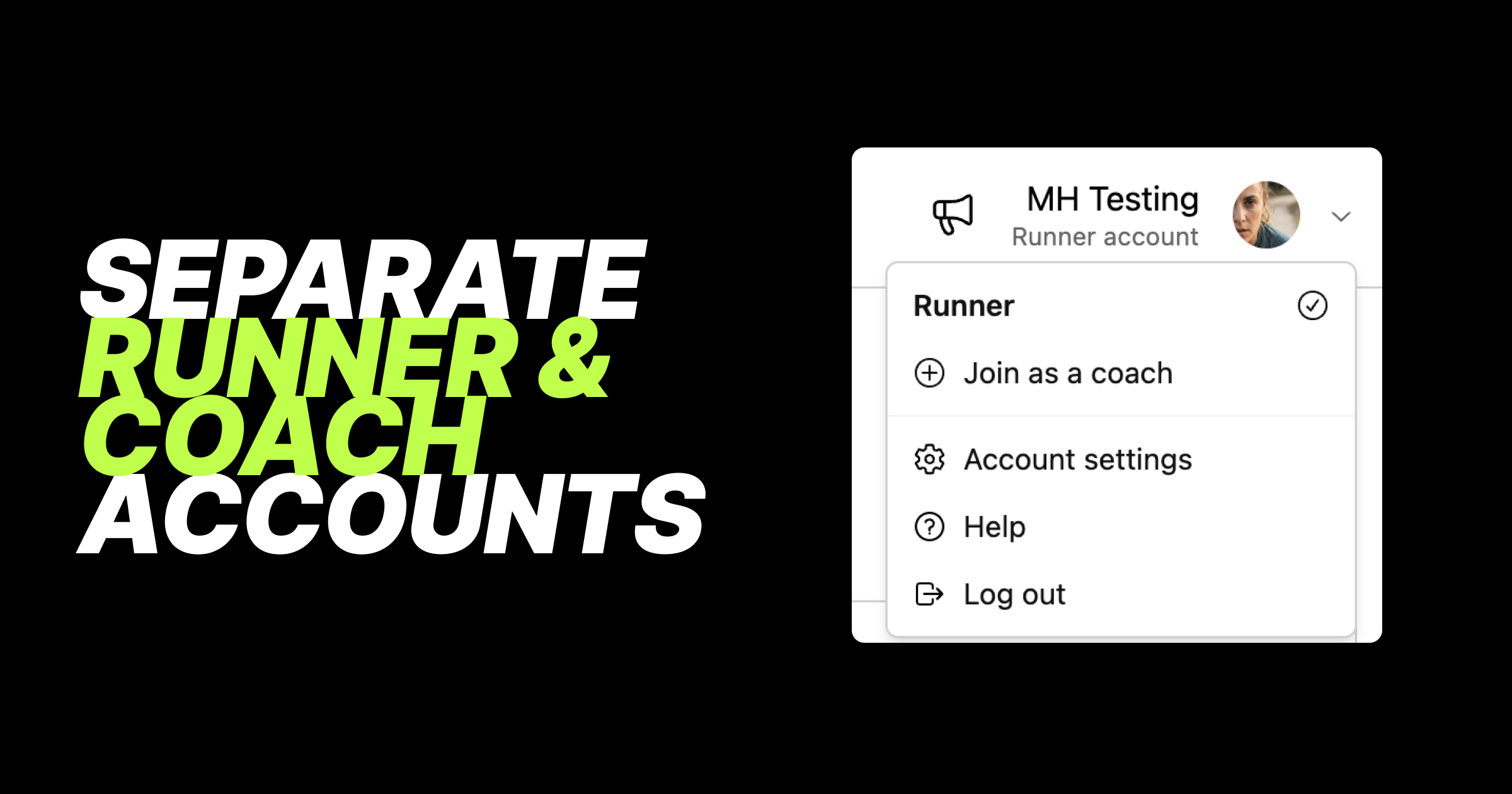
🎉 Separate runner and coach accounts

This is one of our biggest releases yet, even if most of it happens behind the scenes. We've rebuilt how accounts work in KULG so that runner and coach accounts are now fully separate. This gives us a solid foundation to develop KULG faster, and for our users it means a cleaner experience: each account shows only what's relevant to it, and you can switch between them in one tap.

Here's what's new with accounts:

  • Switch accounts, find help and log out from your avatar - tap your avatar to switch between your runner and coach accounts. Help and Log out have moved here as well.

  • Runner and coach accounts are completely separated - your runner account shows only runner features, and your coach account shows only coach features.

  • Coaches who are active can track their own running - create a runner account from your coach account (Join as a runner under avatar) and follow your own activities as a runner.

  • Runners who are also coaches can create a coach account - create a coach account from your runner account (Join as a coach under avatar) and start coaching other runners.

  • Existing accounts have been split automatically - if you're a coach who also tracked your own activities, you now have two accounts: coach and runner. There's nothing you need to do. If you're on a paid coach plan, it stays on your coach account, and your runner account starts on the free plan. You can upgrade your Runner account separately.

  • Your first account opens by default - when you log in, KULG opens the account you created first. Soon you'll be able to choose your default account yourself.

Billing has been rebuilt to match:

  • A plan for each account - subscribe to a paid plan on your runner account, your coach account, or both. Your coach account shows coach plans, and your runner account shows runner plans.

  • Free trial on your first account - the 14-day KULG trial applies to the first account you create.

  • Quicker upgrades - upgrade buttons now take you straight to the plan page, one step faster.

  • Switch to free instead of cancelling - to stop paying for a plan, choose the free plan for that account.

  • Annual Runner or Coach plan can now also be combined with an extra monthly service, like a training plan.

  • Everything in Billing overview - tap Billing overview button on the Billing page to see all your plans and added extra services, like training plans, club memberships and coach bundles, in one place. You can also manage your payment methods there, and use a different payment method for your runner and coach subscriptions. Billing is available on KULG web version (desktop or mobile), not in the mobile apps.

If you both coach and run, this update is for you: one login, two dedicated accounts, each with its own plan, so your own training stays separate from your athletes. Next up, you'll be able to add and remove extra services yourself, right from the Billing page.

NewImproved

Earlier updates